
eSIM at Don Mueang vs a Tourist SIM: 6 Traps Before You Board
eSIM at Don Mueang vs a tourist SIM: six traps on OTP, dual SIM, and banking before you board.

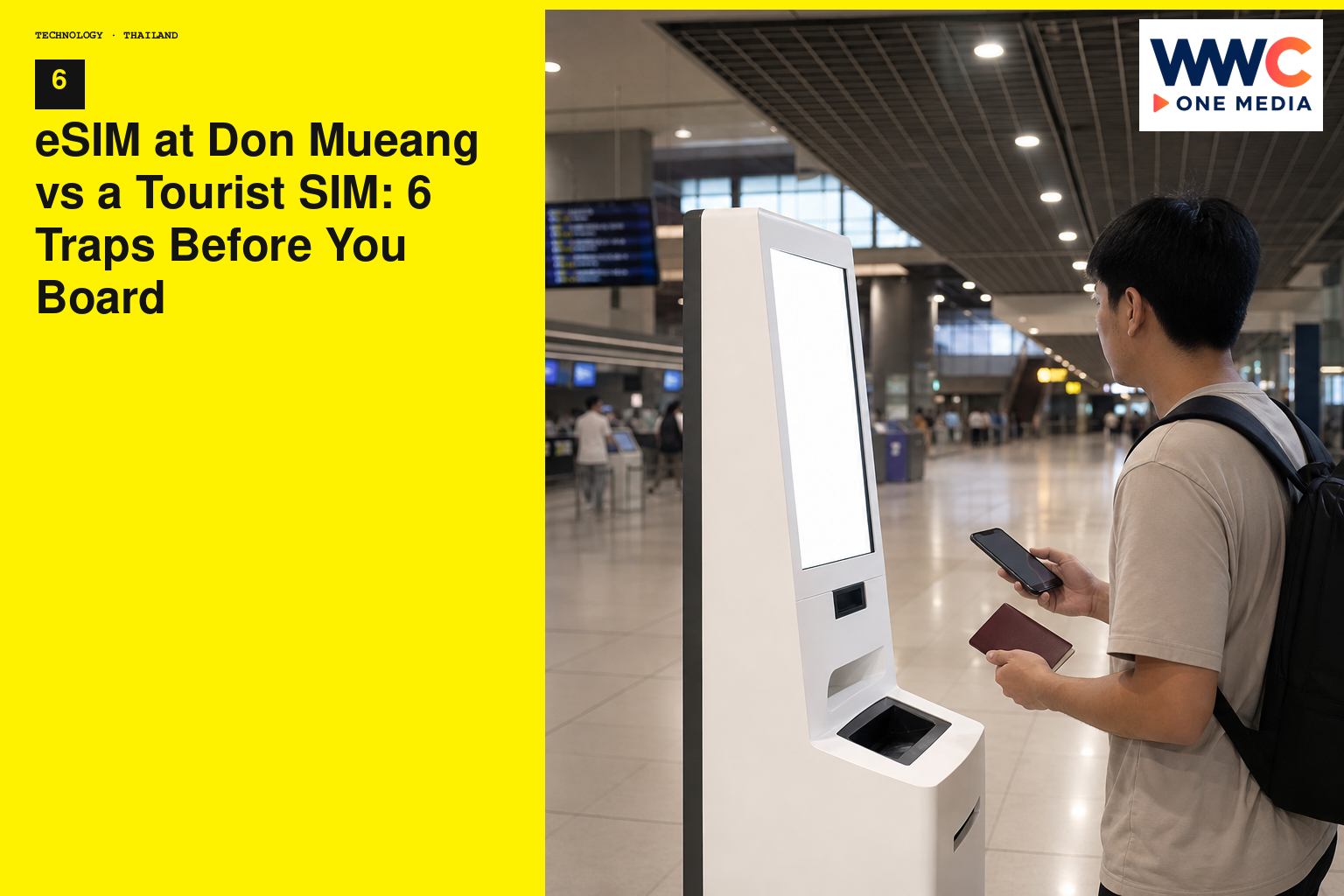
BANGKOK, Thailand — Don Mueang after a cheap flight is a corridor of people who believed the phone would sort itself out. Immigration behind you, bags from a carousel that takes its time, a row of tourist SIM counters glowing with posters, a phone on 12 percent that still thinks it is in Manila or Singapore. eSIM at Don Mueang vs a tourist SIM is not a brand war. It is six traps you walk into before you board if you treat connectivity as an arrivals-hall errand. OTP, dual SIM, and banking do not care that you are tired. They care which line can still receive a text and which line is actually carrying data.
This is a setup guide, not a price list. Carrier tourist packs change. Airport posters change. This desk will not invent a baht figure and call it current. What does not change is the shape of the mistake: installing late, leaving roaming on the home line, letting a dual-SIM phone pick the expensive path, and discovering at a 7-Eleven that the bank wants a code on a number you just silenced.
Do the six checks before you board. Don Mueang will still sell you plastic if you want it. It should not be the first time you think.
1. eSIM at Don Mueang is a trap if you did not install it at home
An eSIM is a profile. It wants a stable connection, a QR you can still open, a battery that is not already a rumour, and a brain that can read a small screen. The arrivals hall at Don Mueang is a bad office for that work. Wi-Fi is a crowd. Your home number may already be hunting a Thai mast. The person behind you has a trolley. The QR is in an email you cannot open because you have no data.
Install before you fly. On home Wi-Fi. Name the plan something you will recognise: Bangkok data, Thailand eSIM, DMK trip. Leave it off until you want it on. Screenshot the QR. Screenshot the order. Screenshot the activation notes. Put those shots in a folder, not in a camera roll you will later open in a Grab from Don Mueang toward Chatuchak with one hand.
If your phone only holds a limited number of eSIM profiles, delete the dead one from the last trip before you add this one. Do that at home too. The phone will ask you questions in a calm bedroom that it will also ask in a noisy hall. Calm is cheaper.
A numbered home-night sequence:
- Confirm the phone is unlocked and actually supports eSIM. A locked handset is how you buy a profile you cannot use.
- Buy from a name you can still find in your email tomorrow. Travel eSIM brands and operator tourist eSIMs both exist. This desk is not ranking them. It is telling you not to buy from a screenshot in a random chat.
- Install the profile. Do not roam on it yet.
- Turn off the new plan’s line until landing, or know exactly which toggle is data.
- Screenshot everything, including the remaining-data page if the app has one.
- Charge the phone. Charge a power bank. Don Mueang is a long walk when a handset dies in the queue.
What not to do. Do not count on airplane Wi-Fi to finish an install. Do not start the QR dance in the jetway. Do not delete your home SIM profile because a YouTube video said eSIM is cleaner. You may still need the home number for OTP.
If the eSIM will not attach after landing, you have a fallback: airport Wi-Fi long enough to reach support, or a tourist SIM from a counter you can see, paid with a card you already know, installed with a paperclip you packed. The tourist SIM is not failure. It is a spare tyre. The trap is having neither profile nor plastic because you assumed the corridor would be a shop with patience.
2. OTP and banking: the dual-SIM trap that shows up at a 7-Eleven, not at immigration
You will want PromptPay, a bank app, Grab, a hotel booking, a card that wants a one-time code. Many of those codes still go to the number the bank has on file. That number is usually the home SIM. If you pull the physical SIM to make room for a Thai tourist SIM, or if you disable the home line so thoroughly that SMS dies, you have not become extra secure. You have locked yourself out of your own money in a foreign arrivals hall.
eSIM helps here if you do it on purpose. Keep the home number alive for calls and SMS. Use the Thai eSIM for mobile data. That is the whole dual-SIM point. Dual SIM is not two lives. It is two jobs.
Write the jobs before you board:
- Home line: WhatsApp, iMessage if you use it, bank SMS, the OTP the airline still sends, the number your mother has.
- Thai data line: maps, Grab, hotel Wi-Fi fallback, the browser.
- Data roaming on the home line: off, unless you have a travel pack you actually bought and understand.
- Data roaming on the Thai line: whatever that plan needs to attach. Read the install note at home, not in the hall.
At a 7-Eleven near Don Mueang or later in the city, a card payment that wants a code will not wait for you to remember which SIM you disabled. If you must use a tourist plastic SIM in the only tray, know how you will still get SMS. Some people keep the home SIM in a small case and pop it back for banking. That is clumsy. It works. An eSIM plus physical home SIM is less clumsy. A dual-SIM phone with two plastics is another version of the same idea.
What not to do. Do not turn on “allow calls on other devices” experiments you do not understand while you are also swapping lines. Do not assume WhatsApp will save you if the bank insists on SMS. WhatsApp is not your bank’s OTP. Do not type a one-time code into a page you opened on public Wi-Fi because the eSIM failed and you were desperate. If data has failed, pause the banking. Use a cash buffer you already planned. This is why a little cash still belongs in a Don Mueang week, even if you are a QR person at home.
Objection: “I already told the bank I was travelling.” Good. That is a different checklist. Travel notices stop some blocks. They do not move your OTP to e-mail unless you set that up. Set it up at home if your bank allows. Do not invent a setting the bank does not have.
3. Roaming left on the home line is how maps become a second fare
Phones are loyal in the wrong direction. They will prefer the SIM they know. You land at Don Mueang, the home line finds a partner network, Maps spins, Grab preloads, an App Store update that should have happened in your living room begins in the jet bridge. You have not opened a tourist pack. You have opened a roaming meter.
The toggle is the money save. After you are ready for Thai data, the home line keeps voice and SMS if you want them. It does not keep data. Off. Named. Confirmed. Look at the status bar. The data icon should belong to the trip plan, not to the SIM you have had since university.
A short landing sequence that fits a walk toward immigration:
- Airplane mode still on until you know what you will enable.
- Wi-Fi if you need it for a last eSIM attach, knowing airport Wi-Fi is a crowd.
- Enable the Thai eSIM. Wait until it actually shows data.
- Disable data roaming on the home line. Disable mobile data on the home line if your phone separates those switches.
- Only then open Maps and Grab.
If you bought a home-operator travel pack on purpose, that is a different product. Use the pack as written. Do not mix “I think I have a pack” with an eSIM you also just enabled. Two data paths at once is how you get a bill you cannot read later.
What not to do. Do not leave cellular on automatic and hope. Automatic is how a background app helps you at home-operator rates. Do not test by streaming a video “to see if it is fast.” Test with a map pin and a message. Do not forget the toggle on the way home either. The reverse trap exists: you land back in NAIA or Changi with a Thai eSIM still allowed to roam.
4. Tourist SIM queues vs an eSIM that will not activate without Wi-Fi
Don Mueang still has counters. Plastic still works. A tourist SIM is a legitimate product: a number, a pack, a paperclip, a tray. It is slower in a queue and faster in the sense that you can see a human. An eSIM is faster if it already lives in the phone and slower if it needs a network you do not have.
The trap is treating them as ideology. They are tools.
Choose plastic at Don Mueang if:
- The eSIM QR failed and support wants a live network you cannot reach.
- Your phone is eSIM-clumsy, or you could not confirm unlock before the flight.
- You want a Thai number for local calls, some ride-hailing edge cases, or a hotel that still loves a local digit.
- You are sharing a trip with someone who needs a spare dumbphone or a second handset.
Choose eSIM if:
- You installed at home and tested that the profile exists.
- You want to keep the home SIM in the tray for OTP.
- You do not want a paperclip moment after a night flight.
- You are fine without a new Thai number for a short stay.
If you buy plastic, buy from a counter you can describe to yourself later, keep the packaging until the SIM attaches, and do not let a salesperson walk off with your phone into a back room. The install happens in your hands. You watch the screen. You set the APN if they say you must, from a printed card, not from memory.
This desk will not quote a tourist-SIM baht figure. Counters post numbers. Those numbers age. Compare the pack in front of you with the data you already bought. If you already have a working eSIM, you do not need a second pack because a poster is loud.
What not to do. Do not buy both “just in case” and then enable both data lines. Do not cut a SIM on a rushing bag with scissors you borrowed. Pack a tool or use the counter’s. Do not accept a SIM that is already peeled if you are paying for a sealed pack.
5. Dual SIM data default will pick the expensive path if you do not name it
Modern phones hide the important switch behind polite words: Mobile Data, Cellular Data, Default Voice, Default SMS. You want those to be boring and explicit.
Before you board, open the settings and say the names out loud:
- Default voice: home line, unless you have a reason.
- Default SMS: home line, because OTP.
- Mobile data: trip eSIM after landing, home line until then, never “both” in a sloppy way if your software allows simultaneous data you do not understand.
- Data switching / auto data switch: off unless you know what it does. Auto is a roaming story.
Android and iPhone label these differently. The idea is the same. One line talks to the bank. One line eats maps. If the phone is allowed to hop, it will hop when the Thai line stutters at Don Mueang and the home line looks strong. Strong can be expensive.
Test at home if you can, with the eSIM still off, so you know where the menus live. A person who has never opened SIM settings will not learn them kindly in an arrivals hall that smells like reheated coffee.
What not to do. Do not reset network settings as a first move at Don Mueang. That can wipe more than your annoyance. Do not enable a VPN you have never used as a way to “be safe” while you are also attaching a new line. One change at a time. Attach. Confirm data. Then extras.
If you use a work phone and a personal phone, do not dual-SIM a work device with a travel profile unless IT already said yes. Work phones have their own MDM opinions. A tourist eSIM can pick a fight with a management profile. Use the personal phone for maps. Keep the work phone on Wi-Fi you trust, or on a policy IT wrote.
6. Screenshots, QR codes, and the email you will not remember at Don Mueang
The sixth trap is administrative. The profile is in an inbox. The inbox needs data. The QR is a PDF. The PDF is in an app that wants to re-login. You are in Don Mueang. The loop is complete.
Break the loop at home:
- Screenshots of QR, ICCID if shown, expiry, data amount as stated at purchase, support channel.
- Offline copies in Photos, in Files, in an email you already opened.
- A second device that can display the QR if the phone you are installing onto cannot show its own QR. Tablets, a partner’s phone, a printout in the passport sleeve. Paper still works.
- The login for the eSIM app already done, so you are not resetting a password on airport Wi-Fi.
- A note in your trip doc: which line is OTP, which line is data, which toggle is roaming off.
If you lose the QR after install, that can be fine. The profile is already on the device. Do not delete it to “start clean” in the hall. Starting clean is how you need the QR again.
What not to do. Do not send the QR into a family group chat as your only copy. Group chats bury things. Do not store the only copy in an app locked behind a face that will not work with a mask and sweat after a budget flight. Do not screenshot a QR on a stranger’s screen at a counter and call it your plan.
Don Mueang texture: the hall is not Suvarnabhumi, and neither is a living room
Don Mueang is older air, more low-cost energy, a layout that can feel like a long indoor street. People fly it because the fare was the point. The SIM posters know that. They speak to tiredness. Suvarnabhumi has its own counters and its own Wi-Fi personality. The traps are the same. The texture is the trolley wheels, the heat when you step out toward a car, the Grab pin that will not drop until data exists, the bus and train options that only help if you can read them.
If you are connecting onward to Chiang Mai or Phuket the same day, do not postpone the dual-SIM setup until the second airport. The first landing is the setup. The second landing should be a toggle.
If you are staying near Khao San, Chatuchak, Ari, or a Don Mueang-area hotel because the flight was early, you still need OTP the first time you buy water with a card that thinks. The neighbourhood does not change the phone settings.
What a tourist SIM is still good for
A local number. A pack you can hold. A counter that can replace a dead chip. Sharing data with a travel partner via a hotspot you control. A phone that has no eSIM. A backup when a profile fails to attach to a Thai mast.
It is not automatically cheaper. It is not automatically more honest. It is plastic with a job. If you already did the eSIM at home, you can walk past the posters without guilt. If you did not, the posters are a service. Use them with the OTP plan still in your head: how will the home number receive a text.
After you leave the airport
Check the status bar in the car, not only under fluorescent light. Some phones attach late. Confirm roaming on the home line is still off. Confirm Grab is on Thai data. Send yourself a message. Do not livestream the highway as a speed test.
When you reach hotel Wi-Fi, download offline maps for the walking radius you actually have. Hotel Wi-Fi can be enough for calls. It is not always enough for a QR payment at a stall. Keep the eSIM on for the street.
On the morning you fly out, reverse the jobs. Thai data can come off. Home data can come back. Do it at the gate if you forgot at the hotel. Do not discover the reverse roaming bill a week later.
Bottom line
eSIM at Don Mueang vs a tourist SIM is six traps, not a poster: install at home, keep OTP on the home line, kill home-line data roaming, treat plastic as a tool rather than a religion, name the dual-SIM defaults, and carry screenshots that do not need a network. Banking and Grab will not wait while you fight a QR in a corridor. This desk will not invent a carrier price. It will tell you to finish the toggles before you board. Don Mueang can still sell you a chip. It should not have to sell you a morning.